RT2D Spherical Oblique Rays from IRI
2D Spherical Gradient Tracing Workflow
Build a route-based 2D IRI grid, run spherical oblique rays with
RT2D.oblique_trace(..., coordinate_system="spherical"), and
visualize spherical-ray outputs on the same route section.
This page explains:
examples/run_rt2d_iri_spherical.py
Call Flow
main()parses CLI (--config,--event,--mode,--formulation,--r-earth-km)._run(...)fetches IRI on a ground-referenced altitude grid through:RT2DProfile.from_cfg(..., fetch_iri=True)- Density below config floor is zeroed:
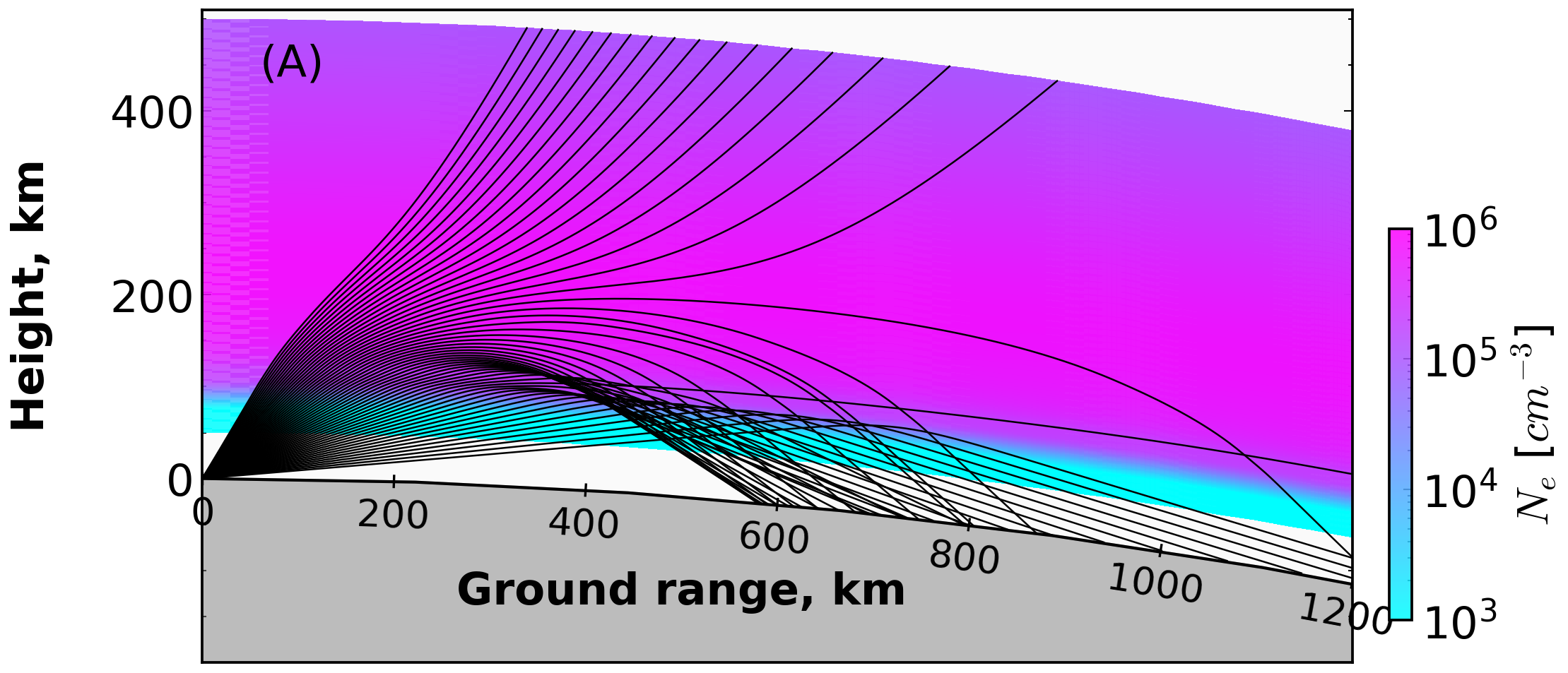
RT2DProfile.force_zero_density_below(cfg.start_height_km)RT2D(profile=...)initializes interpolation and refractive-index support._trace_fan_spherical(...)runs:oblique_trace(..., coordinate_system="spherical", r_earth_km=...)_plot_density_and_rays(...)overlays rays over the electron density field.
Key Code
1) Spherical Tracer Call
out = model.oblique_trace(
    freq_hz=float(f_mhz) * 1e6,
    elevation_deg=float(elev_deg),
    coordinate_system="spherical",
    x0_km=0.0,
    z0_km=float(heights_km[0]),
    mode=mode,
    formulation=formulation,
    r_earth_km=float(r_earth_km),
)
2) Plot Overlay
p = PlotRays(oth=True, xlim=[0.0, 1500.0], ylim=[-100.0, y_max * 1.02], figsize=(7, 4))
p.set_density(X, Z, profile.ne_cm3, pf=None)
p.lay_rays(outputs=rays, kind="edens", lcolor="k", lw=0.6, param_alpha=0.85)
Run
Custom options:
python examples/run_rt2d_iri_spherical.py \
  --config hfpytrace/cfg/config2D.json \
  --event 2017-05-27T16:00:00Z \
  --mode O \
  --formulation appleton-hartree \
  --r-earth-km 6371
Output Figure
Related Files
examples/run_rt2d_iri_spherical.pyhfpytrace/model/rt2d.pyhfpytrace/density/iri.pyhfpytrace/plottrace.py